
Modbus Protocol: RTU, ASCII and TCP Basics
1. What is Modbus, and how does it differ from RS-485?
Modbus is an application-layer messaging protocol used to exchange data between controllers and devices. RS-485 and RS-232 specify electrical interfaces. Modbus RTU and ASCII are serial transmission modes, while Modbus TCP carries Modbus messages over TCP/IP. An RS-485 interface alone does not establish that a device supports Modbus.
In a fluid-control system, Modbus can be used to read device status or send control parameters. Check the communication manual for the exact controller model to confirm protocol support, supported functions and register definitions. Interface support must be confirmed for each Foreach product and configuration.
2. How do Modbus RTU, ASCII and TCP differ?
The connector does not identify the communication mode. For serial communication, both ends must use matching transmission modes, baud rates and character-frame settings. For TCP communication, check the network connection and the device’s service settings.
| Mode | Message structure | Items to verify |
|---|---|---|
| Modbus RTU | Device address + Function code + Data + CRC | Serial settings, device address and inter-frame timing |
| Modbus ASCII | ASCII-encoded message with LRC and defined start/end characters | Serial settings, encoding and LRC |
| Modbus TCP | MBAP header + Function code + Data; no RTU CRC is appended | IP address, port, Transaction Identifier and Unit Identifier |
3. How do serial device addresses and request–response exchanges work?
On a Modbus serial line, individual server (slave) addresses are 1–247. Address 0 is reserved for broadcast, and 248–255 are reserved. The client (master) initiates a unicast request, and the addressed device returns a response. Broadcast write requests receive no response. An 8-bit address field therefore does not make every value from 0 to 255 a valid individual device address.
These addressing rules apply to serial communication. Modbus TCP includes a Unit Identifier in the MBAP header. When a gateway forwards messages, the meaning of this field depends on the device implementation. Check the device manual rather than applying the serial address rules to every TCP connection.
4. How should Modbus function codes and register maps be read together?
The function code identifies the data category and the read or write operation. The data field carries the relevant addresses, quantities or values. Two devices that both support Modbus may still use different register maps.
Before commissioning, check for an offset between the register numbers shown in the manual and the starting addresses encoded in messages. Also confirm data width, signed or unsigned representation, scaling factors, units and word order for values spanning multiple registers. A speed value, position value and liquid-volume value have different meanings and cannot be substituted for one another.
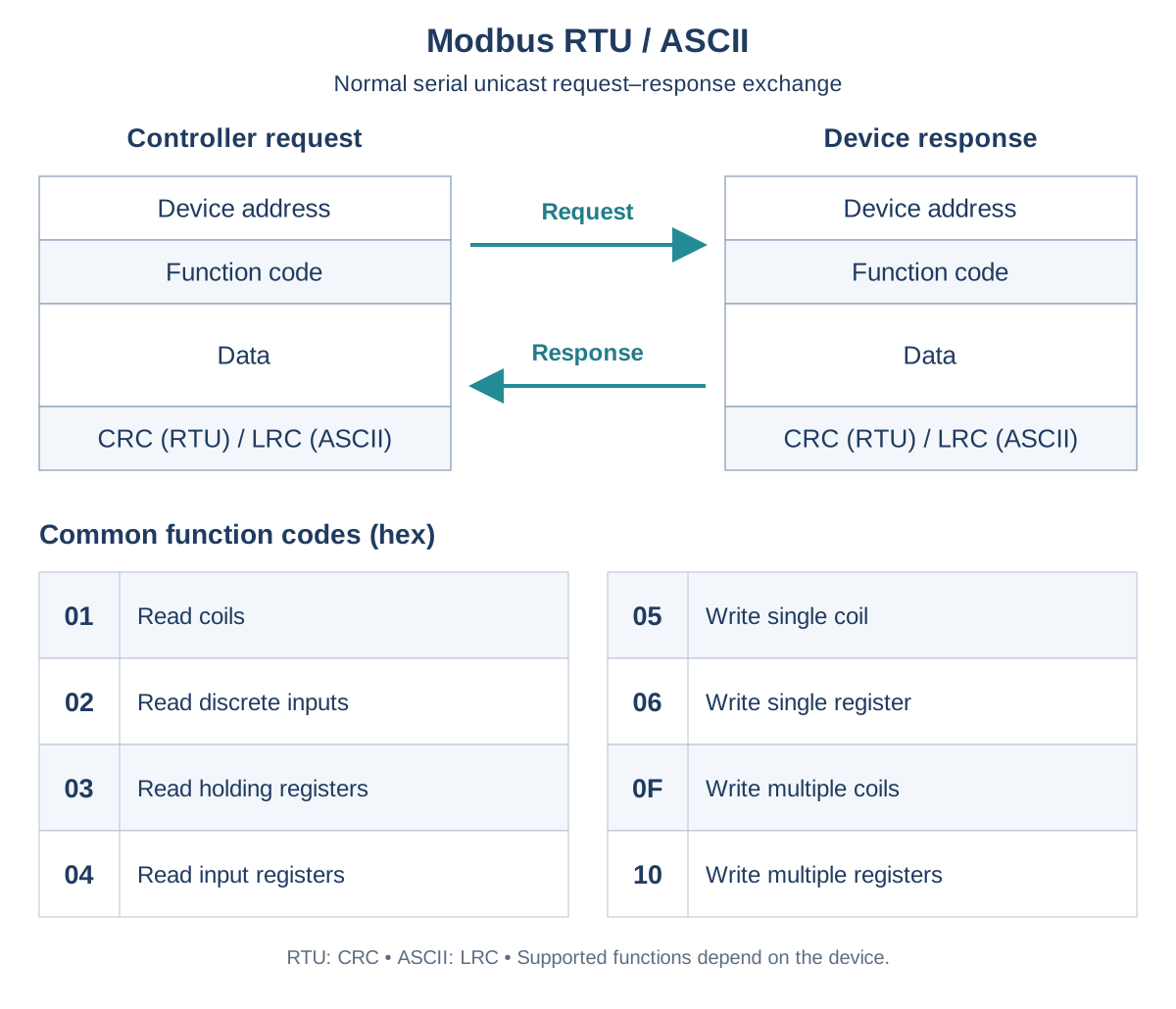
| Function code (hex) | Operation |
|---|---|
| 01 | Read coils |
| 02 | Read discrete inputs |
| 03 | Read holding registers |
| 04 | Read input registers |
| 05 | Write single coil |
| 06 | Write single register |
| 0F | Write multiple coils |
| 10 | Write multiple registers |
5. How do you commission a fluid-control device using Modbus?
First verify wiring and power, then set the communication parameters according to the device manual. Begin by reading a known status value. Check the device address, function code and meaning of the returned data before testing permitted parameter writes and motion commands.
Verify successful communication, command acceptance, completed motion and the required delivered volume separately. A write acknowledgment does not mean that the pump has finished moving. After a timeout, check device status before repeating a dispensing command to avoid delivering the dose twice.
Log requests, responses, exception codes and timeout conditions. Check limit signals, homing, valve states and motion timing when locating a fault. Use the device communication manual to establish the exact commands, addresses and counting units.